The Legit Client Built for Smooth, Clean Minecraft
Ryoiki wraps premium HUD modules, custom client profiles, visual theme editors, and seamless performance optimizations in a matte graphite, lag-free desktop environment. Build clean overlay grids, launch mini-games between queues, and play comfortably with native Windows acceleration.
Designed for Clarity, Speed, and Control
We believe utility clients should feel like premium desktop applications. Ryoiki is built with that philosophy at its core.
Buttery Smooth Feel
Built with frame-pacing optimizations and a lightweight graphics hook. Ryoiki runs at high refresh rates with zero stutter or input latency.
Legit Utility Focus
We don't sell cheats or bypass tools. Ryoiki focuses entirely on useful HUD widgets, quality of life client improvements, and vanilla refinement.
Total Customization
Shape the client in your image. Tailor modular positions, panel sizes, color presets, accent highlights, and elegant desktop-grade glass blur.
Clean Modern UI
Ditch complex, messy text menus. Ryoiki presents modules and options in a beautiful monochrome graphite UI designed like premium desktop software.
Active Core Updates
Our developers continuously refine the core client. We deliver weekly maintenance patches, performance tunes, and new features based on community feedback.
Everyday Comfort
Designed for daily play. Includes a lightweight launcher, session trackers, built-in arcade breaks, and rich presence to keep friends connected.
50+ Carefully Crafted Utilities
Every feature in Ryoiki is built with performance in mind. Browse our catalog of HUD modules, movement visualizers, and world tweaks.
Utility Modules
System utilities, file logs, screenshot browsers, and console configuration panels built to smooth out everyday client operations and launcher setups.
Session Tracker
Monitor your session uptime, server connections, and match statistics in real-time.
Screenshot Gallery
Browse, zoom, and organize your in-game captures directly within the client menu.
Fast Chat Shortcuts
Bind common lobby triggers, greetings, and commands to customizable keyboard macros.
Client UI Experience
Every panel, slider, and toggle is crafted to feel like native desktop software. Browse our modular layouts, theme color boards, and built-in arcade breaks.
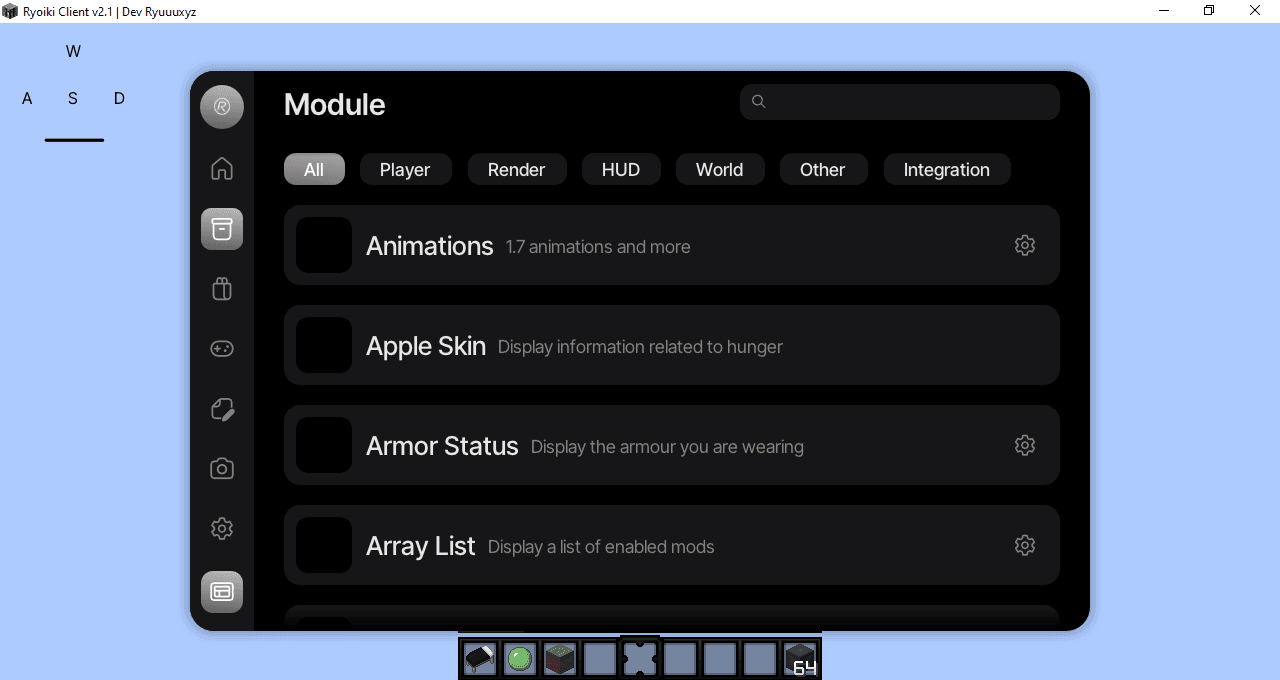
Module Browser
Browse, toggle, and search 50+ features in a sleek 3-column deck. Features instant search, category filters, and slider configurations that update on the fly. Configure reach status markers, CPS trackers, key bindings, and overlay alignment coordinates inside one unified C++ window console.
- Instant Query Filtering
- Slide-out setting details
- Real-time keybinding
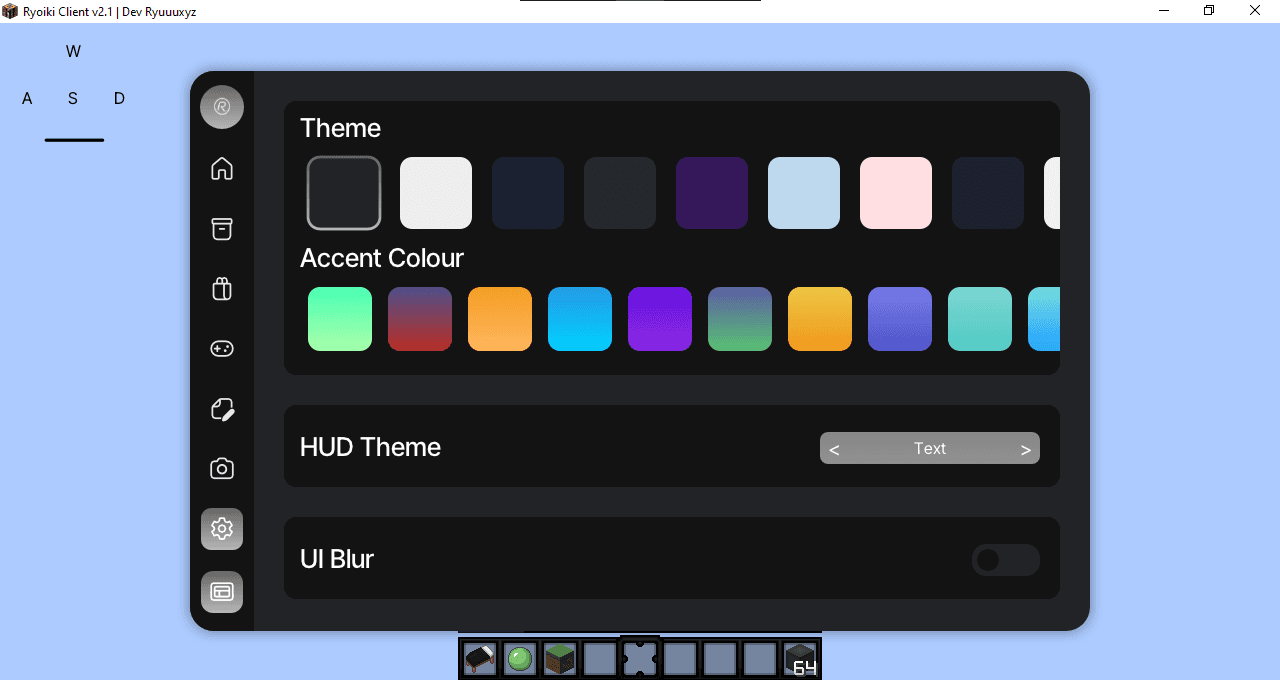
Theme Controls
Select custom dark-mode canvases, accent tones (Mint, Crimson, Cyan, Slate, Violet), edge borders, and translucent glassmorphism blur settings. Tune colors (Mint, Amber, Cyan, Silver) or toggle visual drag-blurs instantly.
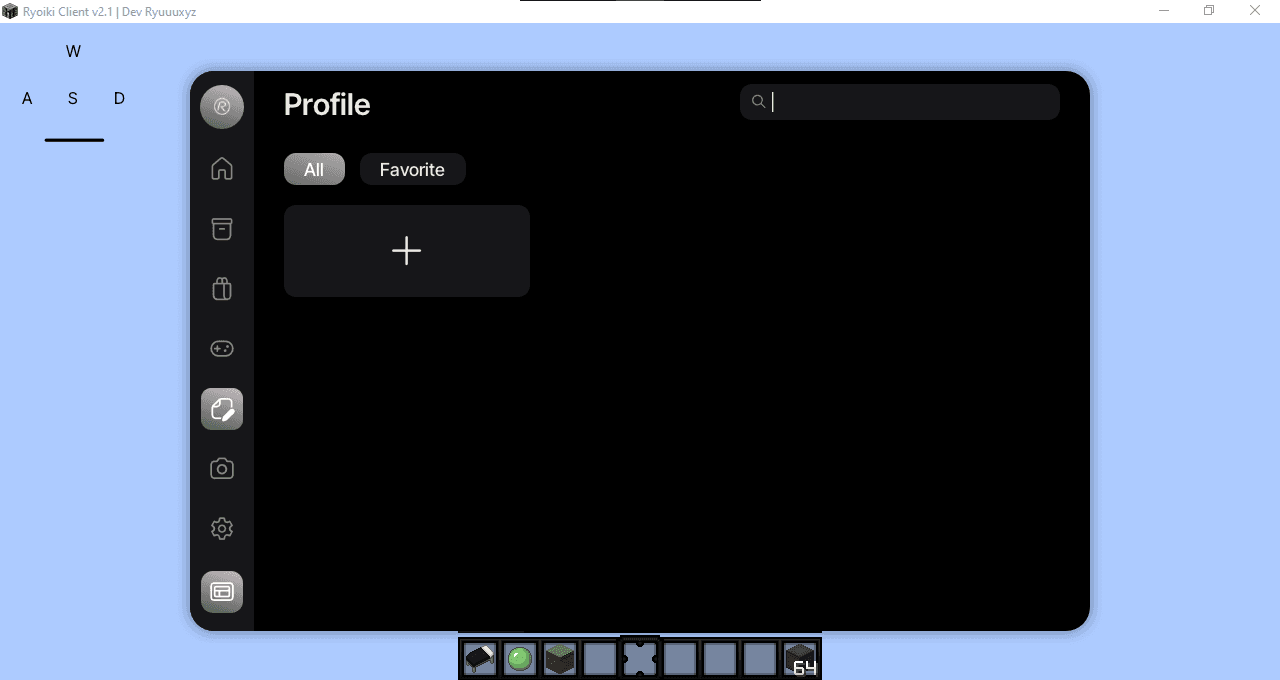
Profiles & Presets
Save, backup, and favorite custom layouts. Instantly load config presets for Bedwars, practice duels, or streaming with one click. Instantly map custom coordinates layout configs for PvP arenas or streaming sessions.
Mini Games & Extras
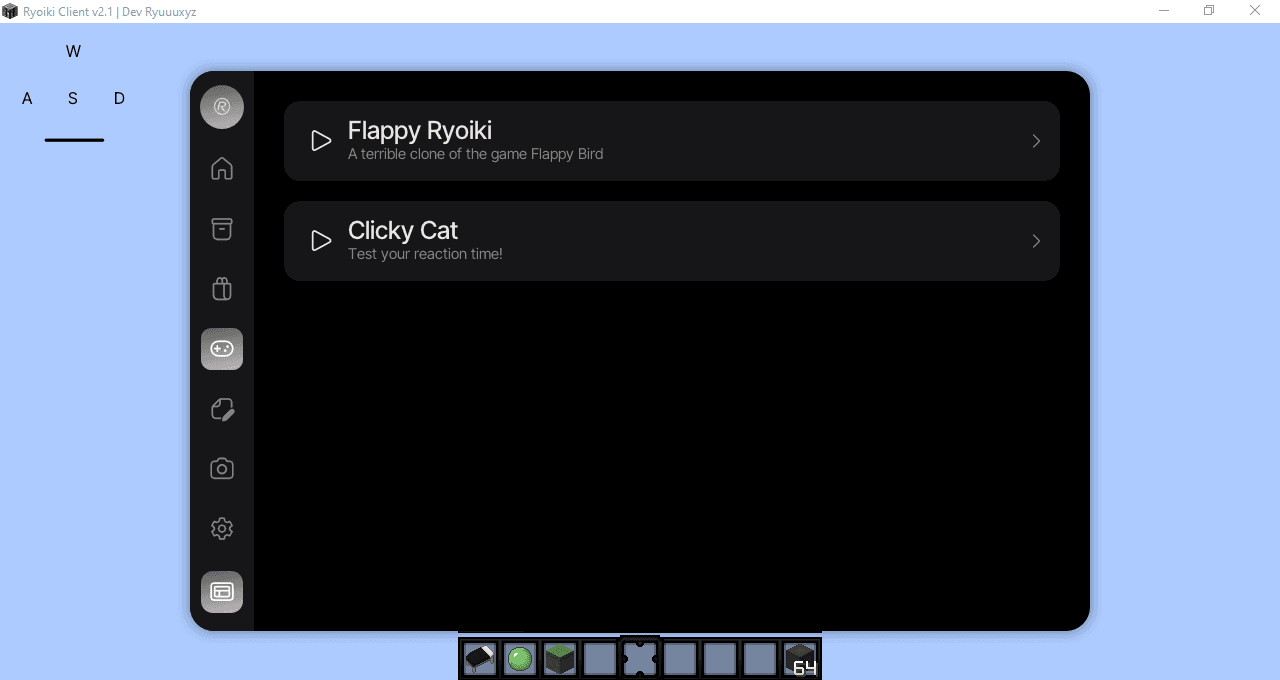
Play classic built-in arcade titles like Flappy Ryoiki or Clicky Cat during lobby wait queues without alt-tabbing or loading other clients. Press Right Shift and pop open click-reflex challenges or tiny arcade runners directly inside the client workspace without alt-tabbing.
- Highscore local logs
- Zero loading screens
- Reflex trigger warmth
Startup & Splash
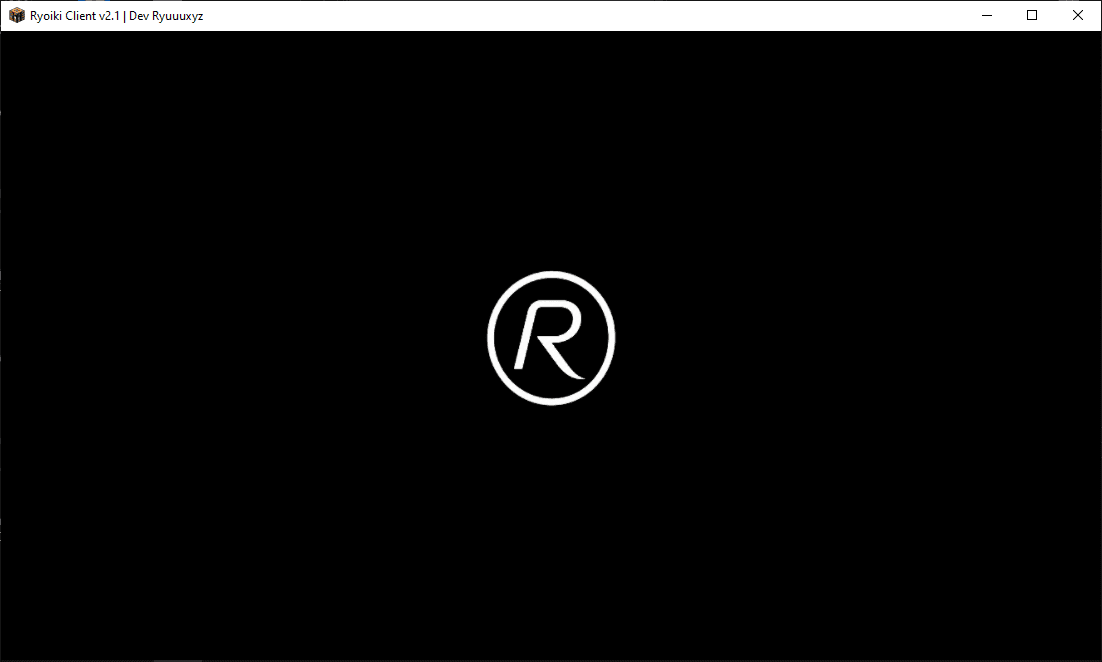
A gorgeous entry screen that loads profiles and checks updates in seconds. Built from the ground up to guarantee prompt injection and stable boot speeds. Secure client-side injection algorithms that guarantee safe loader launches.
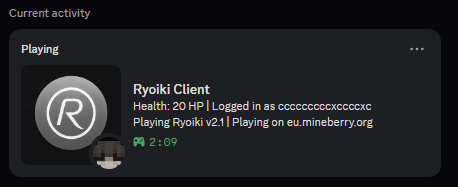
Discord Presence
Keep friends informed with a beautiful activity card. Broadcast your Ryoiki version, active server network, session duration, and health bar updates in real-time. Broadcast your version number, current practice lobby, HP, and session duration.
The Feeling of Smoothness
Pacing Over Raw FPS
High FPS numbers look good in lobby stats, but inconsistent frame pacing causes micro-stutters that break immersion. Ryoiki prioritizes consistent frame intervals over raw frame counts, delivering a buttery smooth experience that feels native.
Low Clutter
UI elements stay out of your focus. HUD widgets render cleanly.
Modest Build
Stutter-free visual stability even on low-end hardware allocs.
Fast Hooks
Client settings apply on-the-fly with zero UI redrawing lag.
Weekly Refinements & Roadmap
Ryoiki Client evolves rapidly. We roll out regular maintenance updates and feature expansions.
Why Active Core Updates Matter
Minecraft networks continuously patch anticheat libraries and launcher injection routines. Ryoiki maintains compatibility through weekly core refinements, hook recalibrations, and injection algorithm improvements — ensuring you never fall behind on network updates.
What is Being Refined
Currently, our focus is directed at stabilizing C++ launcher injectors for Prism and Lunar, refining frame-pacing hooks for high-refresh displays, and optimizing memory allocation strategies to minimize micro-stutter on lower-end systems.
Ryoiki Client v2.4 Released
This release focuses on improving stability, polishing existing features, and introducing new quality-of-life improvements. We've also started preparing the client for the larger v3.1 update.
- •Added NoBlockParticles Module
- •Added Time Module
- •Added Launcher Animations
- •Reworked Launcher Settings
- •Fixed Offline Account Saving
- •Fixed Music Player
- •Fixed Freelook
- •Fixed Minimize Crash
- •Updated Hitbox
- •Updated Nametag
- •Updated Tab Editor
- •Improved Startup Time
- •Improved Module Descriptions
- •Removed Fixx Module
- •Temporarily Removed All Capes
- •General Bug Fixes
- •Performance Optimizations
Cosmetic Integrations & Extra Widgets
Adding customizable cosmetic mockups, detailed session statistics reports, and secondary mini-game widgets.
- •Cosmetics visual editor
- •Session report dashboards
- •Custom hud elements builder
Performance & Pacing Optimization
Optimizing frame-pacing hooks to reduce input latency on high refresh rate monitors, and implementing native screen clipping fixes.
- •Reduced input delay to sub-1ms
- •Optimized memory allocation hooks
- •Better fullscreen bounds handling
Overhaul Your Minecraft Layout Today
Get Ryoiki today. Enjoy 50+ configurable legit modules, fluid theme pacing, custom profiles, and zero launcher overhead. Setup takes under a minute.

Join the Ryoiki Community
Connect with our active community, get developer assistance, download beta updates, and share profile layouts.
Technical Help
Open support tickets directly in the help channel to get assistance with configuration files or launcher boots.
Direct Updates
Get notified of new client versions, theme updates, and module listings as soon as they go live.
Layout Sharing
Share your custom preset configurations, theme accent blends, and custom drag-and-drop HUD locations.
Got Questions? We Have Answers
Here is everything you need to know about Ryoiki Client.
Ryoiki Client is a premium Minecraft 1.8.9 legit/utility client designed for Windows. It focuses on offering a polished desktop-software experience, featuring smooth custom-themed HUDs, profile presets, built-in arcade breaks, and performance optimizations.
The Team Behind the Project
Ryoiki Client and its web ecosystem are developed by passionate gaming programmers.
Ryuu Dev
Lead C++ Developer & UI Architect of the Ryoiki desktop client.
Infernox
Web designer & frontend engineer responsible for translating Ryoiki's UI aesthetics to the web.